

Custom Portal Development: Signs You’ve Outgrown Your CMS
The first signs you've outgrown your CMS
Prospective clients come to us, a custom software development company, looking for a bespoke customer or partner portal. They've all hit the same wall in different ways.
The content team can no longer work within existing content types. A post or page isn't enough. They want to link content together. They need content on the portal to respond to the state or behavior of other content. Off-the-shelf CMS platforms weren't built for that. What they need are custom entities, statuses, behaviors, and purpose-built workflows and internal workflow automation processes.
The second common trigger is permission management. Teams want granular control over who sees what and who edits what, along with defined approval workflows that content passes through before going live. For a serious portal, this can mean new roles for each business unit or different approval processes by region. We see requirements here that no ready-made CMS can accommodate without major compromises.
The third sign goes unspoken at first, but it surfaces fast in discovery conversations. If your corporate website needs daily attention and multiple people work in it at the same time, you're not running a website anymore. You're running a revenue-generating business application, an editorial system your team uses every day. That software has to meet a different set of expectations than when it launched a few years ago on Drupal or WordPress.
When you start this process with us, we make the content model and the portal's architecture grow from your business needs. We don't squeeze content into a framework's constraints. We build the portal around your content and your internal processes.
When your content management system starts creating operational problems
The plugin jungle inside a growing CMS system
If you've lived through this, you already know. You log into your CMS admin panel, open the list of installed modules, and it scrolls for three or four pages. In a best case you have 30 to 40 plugins. In a worse case, you're approaching 80. The number alone isn't the problem, but anyone who has maintained a system like this knows what's coming.
Updating CMS plugins in a setup like this is a gamble. You update one, and something breaks. Plugins intertwine so deep that a bug might surface in a module you didn't touch. Managing this is hard: no guarantee exists that your developer, or the wider community, has encountered your specific combination. Nobody may have tested those plugins together, and you're left with a long troubleshooting process.
Skip the updates, and you're putting the website security at risk. This is a high-stakes concern because plugins are public, known vulnerabilities get exploited at scale by automated tools, and attackers move fast.
That's the optimistic scenario, the one where updates are still coming. Sometimes less popular plugins get abandoned, stuck in alpha or beta with no maintainer. You could commit to using only established plugins, but that limits your ability to implement complex requirements the way you want them.
That decision makes sense at first. But we've watched this resolve soften the moment a complex feature needs to ship fast and cheap. The lesser-known extensions creep in, and every risk described above multiplies.
A high plugin count often produces a system that runs but has become so opaque that even experienced platform developers hesitate to change a configuration or add a module.
With the portals we build, every feature is developed for your system, tailored to your needs. The frameworks we use provide building blocks, but at the business-functionality level, you as the client stay in control. You own a closed, auditable codebase instead of depending on public modules, which by itself cuts security risk.
Performance ceilings, Core Web Vitals, and scaling problems
This problem connects to the plugin count. Past a certain threshold, no optimization keeps load times acceptable. The volume of plugins and their interactions create performance problems. Core Web Vitals scores decline. Users notice: slow search results, painful page loads. Every plugin loads its own CSS and JS, and the frontend keeps getting heavier.
Other signs appear too. Integration difficulties come to a head: developers connect external systems, but they modify functioning modules to do it, which blocks those modules from being updated.
Business-level scalability also breaks down. You need to roll the portal out in a new legal jurisdiction, but the system resists it. The translation interface handled a second language fine but buckles at the sixth. At that point, the portal is blocking company growth.
With a custom portal, database queries are optimized for the specific task, not forced onto a generic CMS schema. We treat performance metrics as a design consideration from day one, not as a problem to fix after launch.
The "good enough" trap: The hidden cost of CMS workarounds and technical debt
When a system has run for years, everyone gets used to its limitations. Problems turn into accepted facts. People bridge the gaps with workarounds. We have never seen a company stop and measure how much cost these workarounds generate, costs a custom-built application could eliminate in a fraction of the time.
Before long, the cumulative spend on patching the existing CMS, plus the extra hours on routine tasks, reaches a level that could have funded a custom portal.
We know how easy it is to stay here and keep deferring the decision. But technical debt accumulates fast.
A portal held together by workarounds costs more to migrate as time passes, and the volume of needed development grows. We often see workarounds adopted as the "official solution," with further development stacked on top. This is where the trap becomes measurable in real money.
We counter this by designing as if no constraints existed, then working deeper from there. This prevents the old system's limitations from carrying over and stops any CMS from dictating the new design.
When custom portal development becomes the better option
Consider a custom customer portal or enterprise portal when:
You have complex business logic that plugins can no longer support cleanly.
You need to integrate multiple systems through ERP integration, CRM integration, WMS, invoicing, and PIM connectionsintegrate multiple systems (ERP, CRM, WMS, invoicing, PIM) and the portal acts as middleware connecting them.
You face scalability demands that an off-the-shelf system can't handle.
You have compliance requirements: GDPR, industry-specific regulations.
UX and visual experience are themselves your competitive advantage.
A custom portal is not yet the right move when:
Your current solution covers 80 to 90 percent of your needs, and the remaining gap is non-critical.
Your business model is still fluid: direction, target audience, and services change often.
The company has no plan to maintain development capacity for ongoing upkeep. A custom system is living software. Without dedicated resources, it will fall behind.
Internal processes are disorganized, and you expect the portal to fix that.
Content and data quality are poor. Bad content stays bad on a new platform.
You need something by next month. Custom portal development takes months of planning, development, and testing.
Portal migration risks companies underestimate
During a portal migration, the best version of events looks like this: both client and vendor are full of energy. Everyone wants the missing features built fast. Designers are eager to create something strong after years of limited options. But a realization tends to arrive late, or not at all: at the end of this project, you will replace something representing thousands of hours of content production, something that has driven your business goals forward.
Two topics must be addressed in every migration: content and data migration, and SEO risk.
Content, data migration, and portal restructuring
Almost every portal switch comes with the expectation that at least some existing content carries over. The volume of content accumulated over years makes manual transfer impractical. During planning, you need to determine how content can be extracted from the old portal. You need to figure out whether the old content structure matches the new one. If multiple images used to belong to each article but the new system follows a one-article-one-image model, the question is: which image do you migrate? The answer seems obvious until the business side, marketing, and customer service each pick a different image by different criteria. Another problem to solve.
A website migration often doubles as a content cleanup project. Content teams say, "If we're starting fresh, let's keep only what's valuable." Then the question becomes: who decides that? What criteria define valuable content? Can you write a rule, or does someone need to review each piece? These factors shape how automated migration should be approached.
We address migration early, not at the tail end of the project. It's one of the first things we tackle: clarifying what data and content needs to move. We map out content exportability, compatibility with the new structure, and required transformations before writing code. We automate where possible but don't force automation where human judgment is needed.
Will your SEO results survive? (They should.)
This risk varies by company. Where organic traffic makes up a major share of total traffic, where countless links point to your site from partner portals, news outlets, and articles across the web, the stakes are high.
A botched migration that wipes out existing URLs can suppress your established traffic for months. In extreme cases, one to two years, with a real impact on revenue from online channels.
To assess the risk level, you need visibility into your traffic sources. You have to account for visitors arriving from search engines, AI tools, and other channels. Their share of total traffic reveals how much effort preserving SEO results will take.
Before development starts, you need to decide whether to keep the old URL structure (sometimes a technical disadvantage) or adopt a new one. A new structure requires a redirect strategy that maps every old URL to its new destination. Technical considerations around redirect efficiency and server load also come into play.
For content on the new portal, you need to address structured data continuity and internal linking structure. None of this works without a configured Google Search Console. If Search Console isn't set up at the project's start, set it up anyway. It generates useful data even in a short window.
Anyone who has hit these problems once takes them seriously the next time. We've had clients lead with this topic because a previous portal switch cost them 40 to 50 percent of their organic traffic. A well-planned migration doesn't have to produce consequences like that.
The key is planning for this from the start, keeping SEO visible so that design questions don't crowd it out.
SEO preservation is not an afterthought in our projects. URL structure, redirect strategy, and structured data planning happen in the first phase. Before every project, we conduct or request an SEO audit: we know where traffic comes from, which URLs are critical, and what the backlink profile looks like. A custom portal also lets you build the technical SEO foundations (load speed, rendering, crawl efficiency) correctly from the start.
How we approach custom portal development
A custom portal is a tool, not a goal. You don't build custom because WordPress isn't cool enough or because the team wants new technology. You build custom because your digital presence has become part of how the business operates, and the tooling needs to match.
If you've reached this section, you've probably spotted your own situation in the examples above. Plugin update anxiety. Content team workarounds. The fear of losing traffic during a portal switch. Nearly every company that has built on a CMS-based portal for years goes through these.
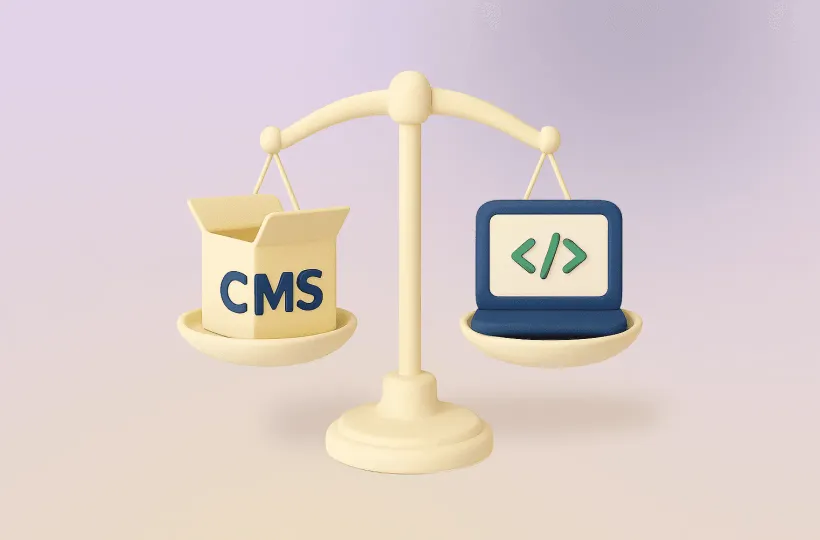
The decision isn't off-the-shelf versus custom. Whether it's a corporate website or a complex portal, the real question: can your portal grow with your company, or is it holding you back? If it's the latter, act sooner.
We don't recommend custom development in every case. We want to understand your situation, and if an off-the-shelf solution still serves your needs, we'll say so.
But if everything points toward a custom portal, don't leave migration and SEO risk assessment for the end. Start there. We can help. The value of a custom portal at launch depends on how much of your existing results you preserved and how far you can push past them in the new system.