

Bettair.life IoT development for the ideal working environment
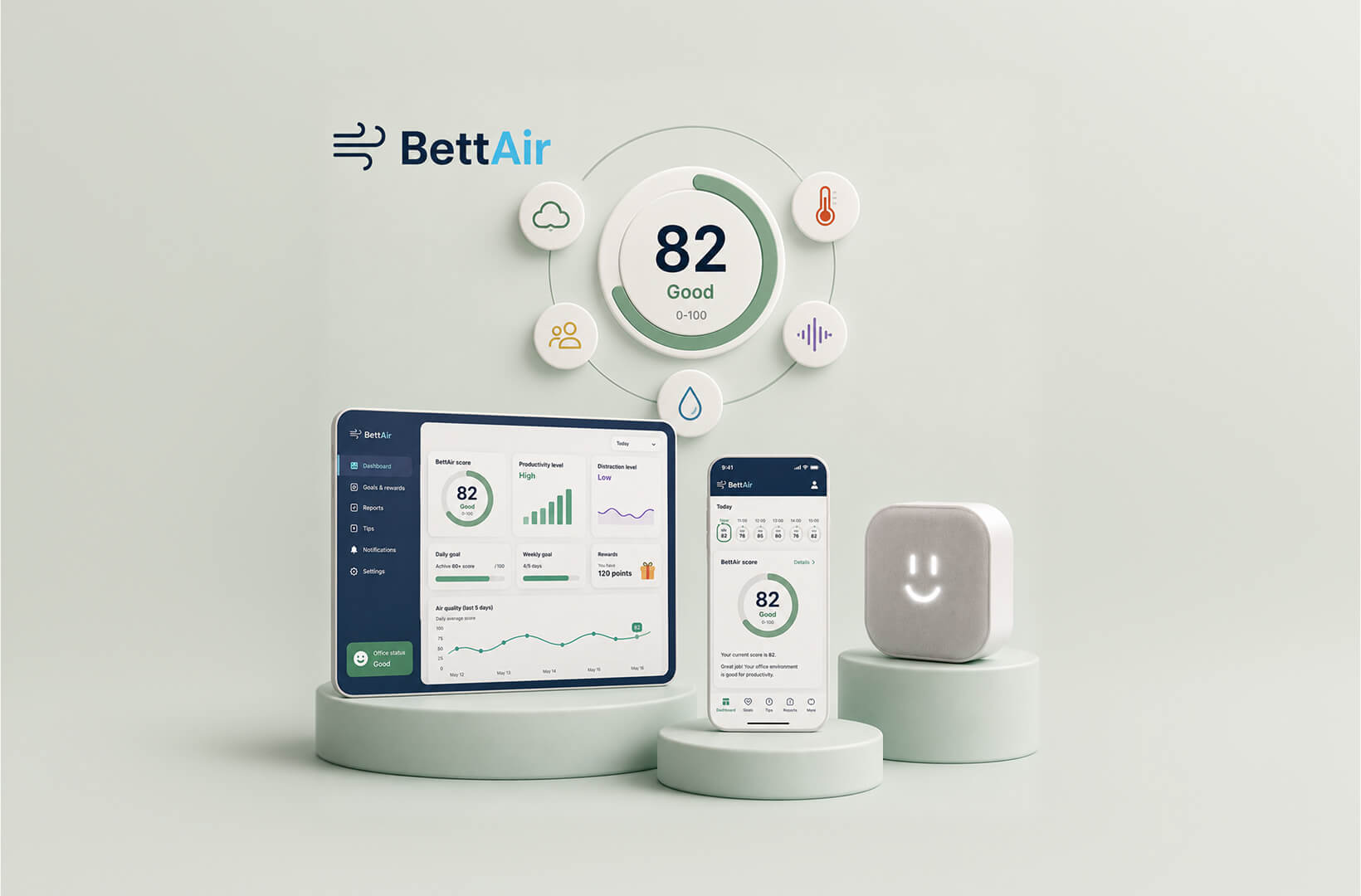
Bettair.life is a complex real-time enterprise solution that analyses data from more than 100,000 measurements daily to help decision-makers improve operational efficiency. The solution measurably increases productivity while directly supporting HR and management in making informed decisions. What technologies did LogiNet use to turn the bettair.life project into an easy-to-use, scalable and cost-effective IoT solution? Read our case study.
History
The bettair.life project was born out of a need identified by the technology startup behind the solution within large enterprises. The company recognized a gap in the market for a predictive solution that could help organizations measure and improve efficiency.
Better.life provides a 360-degree solution to business challenges such as home office regulation, more effective employer branding, CSR, and mental health support. Uniquely, the technology company approaches these issues holistically yet data-driven.
The better.life solution
Better.life measures key parameters of the working environment in real-time. It calculates a single overall score that quickly and efficiently indicates changes in the quality of the environment, taking into account the interdependencies between the factors. In this way, problems affecting productivity can be identified immediately.
For example, even with ideal air parameters, productivity can be reduced if workers are constantly exposed to noise.
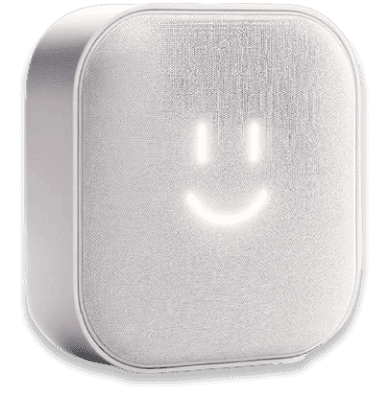
The device
Improving workplace experience and efficiency
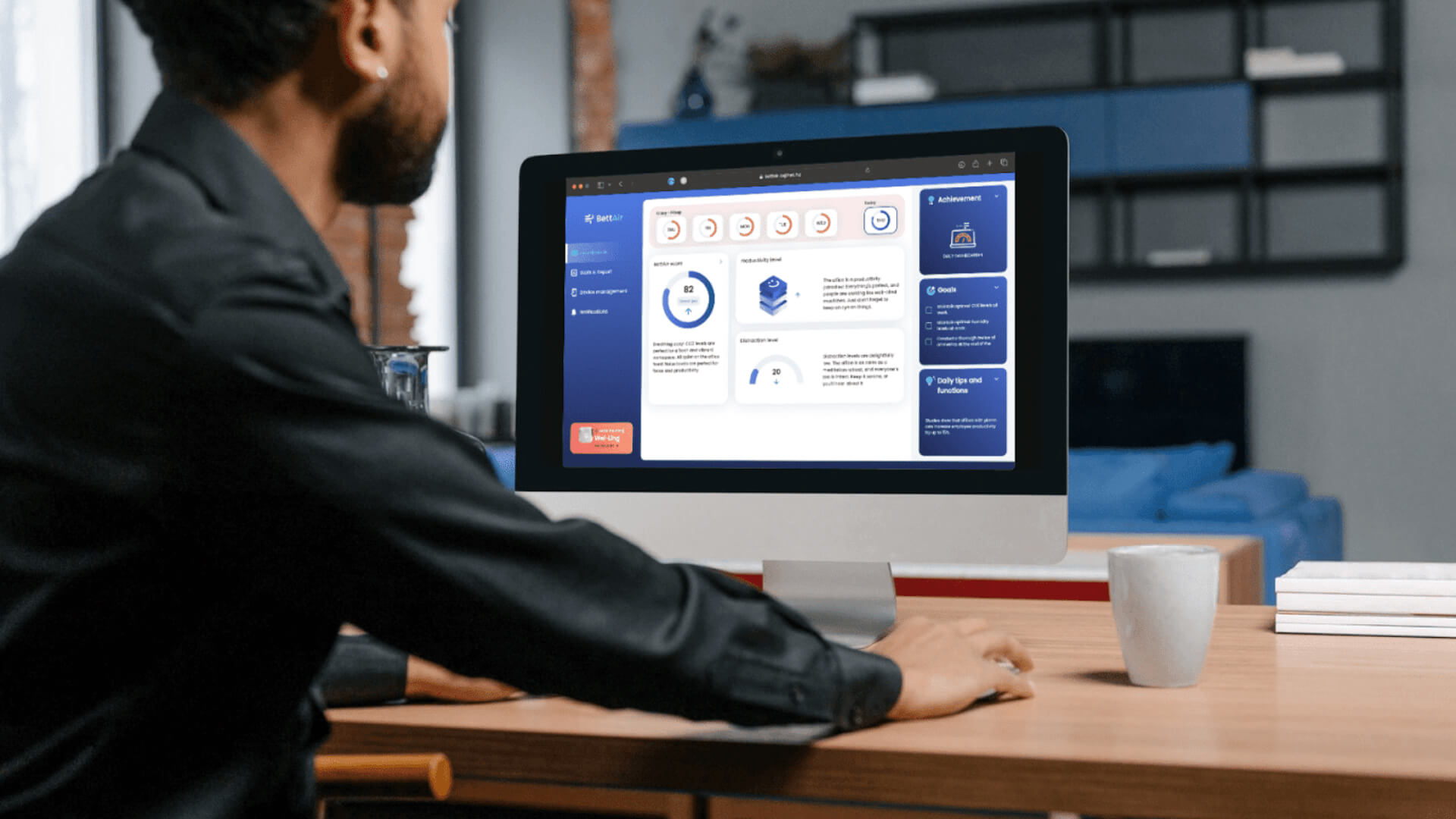
Bettair.life aims to support the specific needs of management, HR and employees alike. Managers have access to data that helps them make decisions, whether it's about office, home or hybrid working.
The system can help track data related to sustainability goals, while as a tenant, you can report your air quality concerns to the office building to enforce contractual obligations.
An optimised environment ensures more efficient working and improved well-being, leading to a more productive culture in the long term.
Realisation
MVP version: economic and reliable IoT development
The goal of the project was to create a production-ready MVP that would allow bettair.life to demonstrate hardware and system functionality and bring it to market.
The device had to be both reliable and aesthetically pleasing to ensure a smooth launch.
IT technologies used in the project
The aim was for the gauge to display real-time data in a mobile application and on a website by communicating with a back-end system.
The project utilised the following technologies:
A backend system that receives real-time data from the device and displays it on client applications.
A database to store a large amount of incoming data and ensure scalability.
To increase cost-effectiveness, we were looking for a solution that would greatly simplify the backend and act as a low-code tool for the mobile application, so that developer configuration would be sufficient to get it up and running. We chose the Supabase Lightwave backend solution because it was easy to set up and met the project's requirements.
In contrast to Firebase, Supabase can be operated completely free of charge in a local development setup, whereas Google's solution requires payment and lacks self-hosting options. The Docker solution also makes it easier to extend functionality.
To handle and process large amounts of data, we initially considered using InfluxDB and also evaluated the TimescaleDB option offered by Supabase. Given that we didn’t require the complex functionalities and detailed visualisation options of InfluxDB, the simpler solution of TimescaleDB proved sufficient.
TimescaleDB is one of the Supabase plugins that made the integration tasks easier: authorisation management and API access (JWT, authentication, etc.) can all be handled using Supabase's built-in tools.
Due to the need for an application that would be accessible on both the website and mobile devices, we chose the Flutter software development kit, which we had experience with from other projects. This allowed us to cost-effectively develop the application for multiple platforms at the same time, which we'll discuss later.
By choosing the right technologies, we were able to complete the project within three months of starting.
Key features of the application
Displays live indoor air quality monitor data with a score on a 0-100 scale
Displays the BettAir score on a 0-100 scale based on factors that affect the quality of the office environment (temperature, CO2, humidity, noise)
Displays productivity and distraction levels
Provides users with daily and weekly goals, along with available rewards
Display of daily tips for users
Display hourly and daily data for the last 5 days
View daily statistics in a line chart
View geographical and industry data
Viewing reports based on measured data
Send notifications to users about office air quality
Setting up the Supabase environment
Supabase offers a paid cloud solution, but because it is open source, it can also be run locally in a Docker environment. We chose the local solution for two main reasons: it's free, and it allows us to keep all data and control in-house. In addition, Supabase is extremely easy to run using Docker.
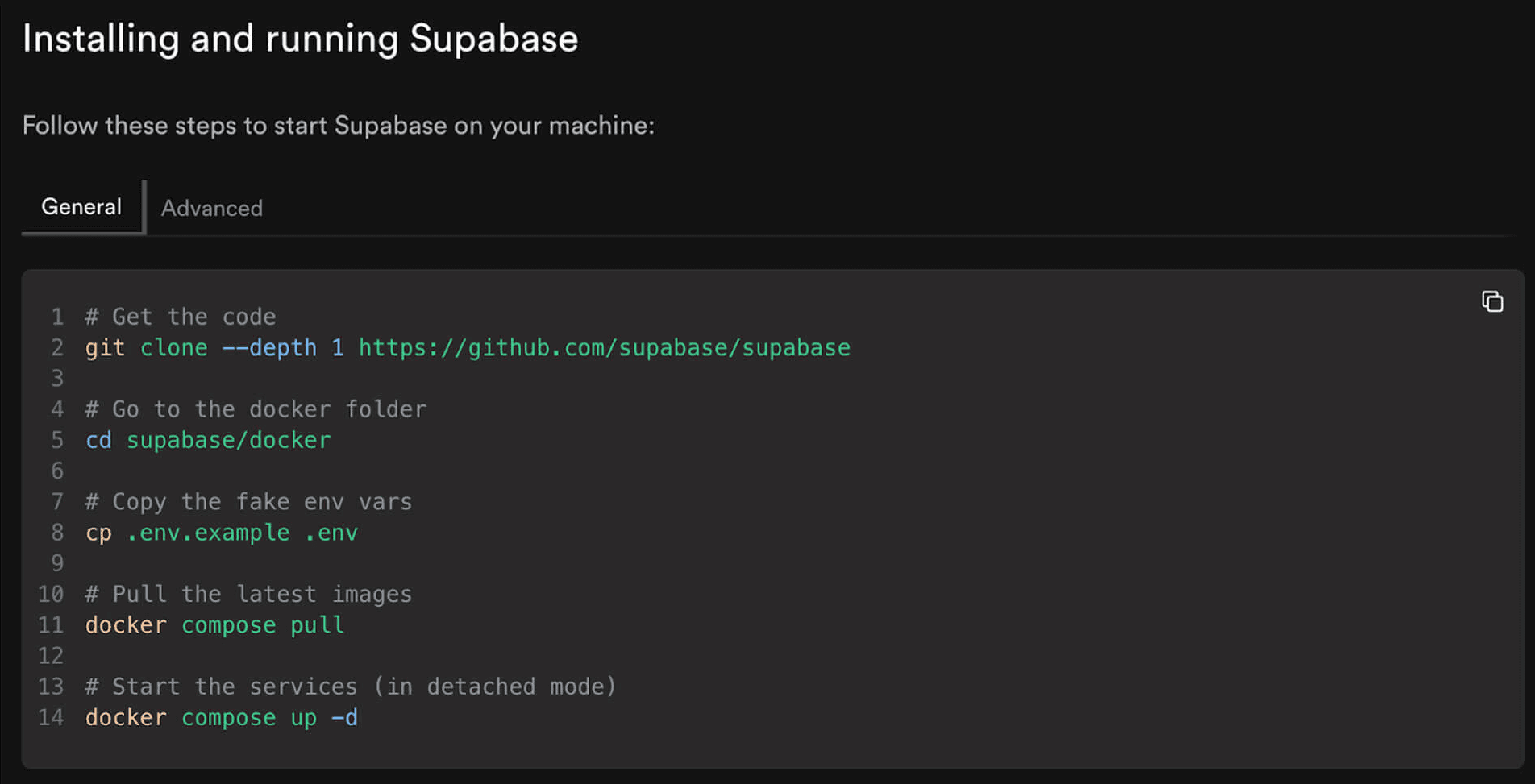
Supabase docker
Docker's microservice architecture enables turning off unused Supabase features. In addition, if required, a service with a specific feature can be developed to work with the same database, using the same authentication service and other systems as Supabase.
While the Supabase documentation is generally detailed, it often focuses on the paid cloud solution and doesn't always provide sufficient guidance for local implementations. Configuration can often be easier with the cloud solution as it offers more options. Consequently, developers must adapt the instructions from the paid version to the local environment, which is not always an easy task.
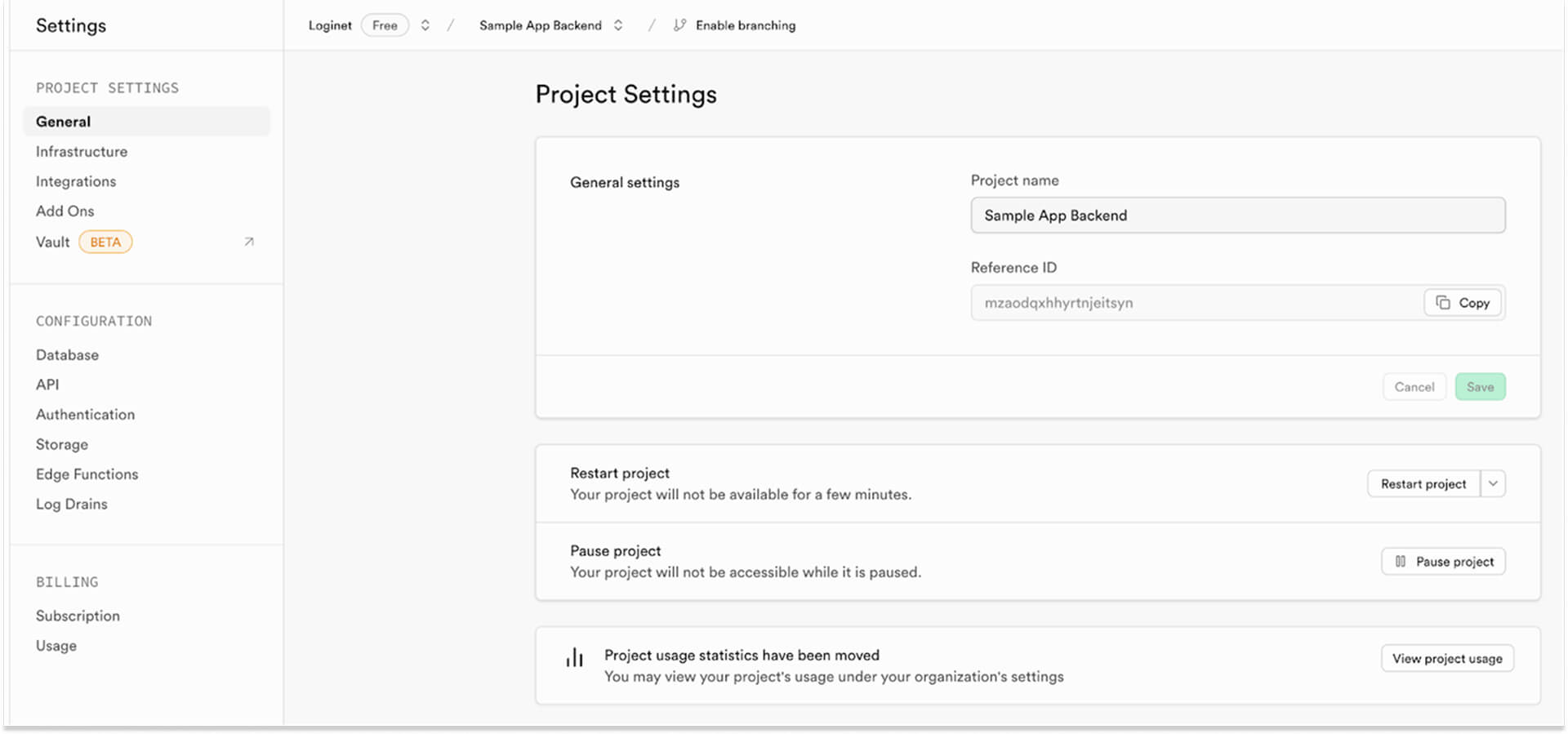
Extra options on the online interface
For example, there is no comprehensive documentation on the local handling of environment variables, but most of this information can be gleaned from the source code available on GitHub.
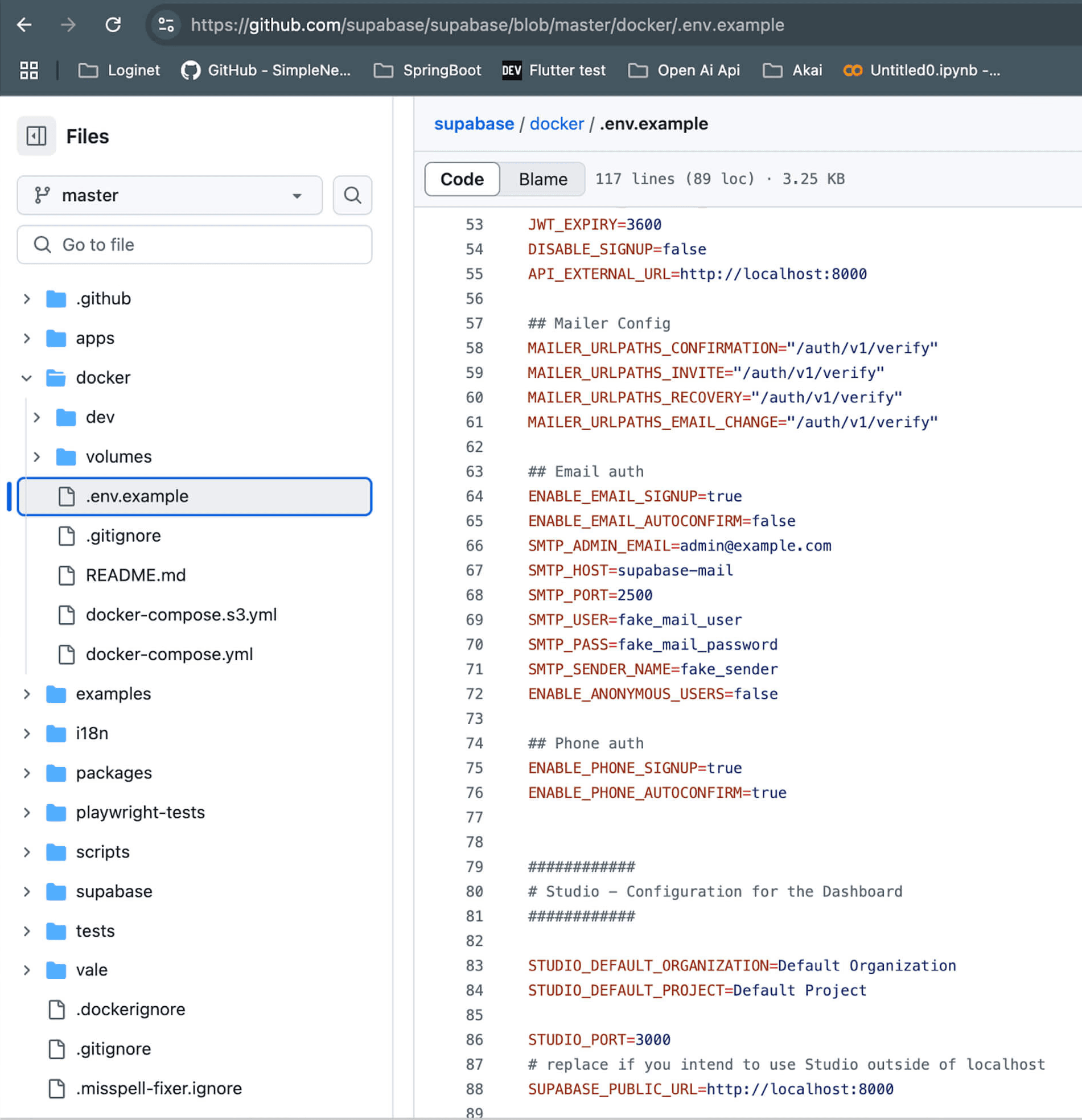
Supabase environment variable configuration file on GitHub
An experienced server-side developer can work with Supabase locally. However, if the backend is entrusted to a mobile development team that is less familiar with this area, Supabase's web solution provides sufficient support to enable them to work effectively. In such cases, local development is not recommended.
Create a user-friendly administration environment with Motor Admin
Supabase provides a functional management environment, but it is designed for developers. The customer needed an easy-to-use admin interface to manage authorised devices, users and other data. We needed a cost-effective solution and Motor Admin was a great help as it can be set up quickly alongside Supabase.
Motor Admin is a no-code administration web tool that allows developers to configure all the necessary settings and restrictions during implementation. User permission groups can be created and managed for efficient access control.
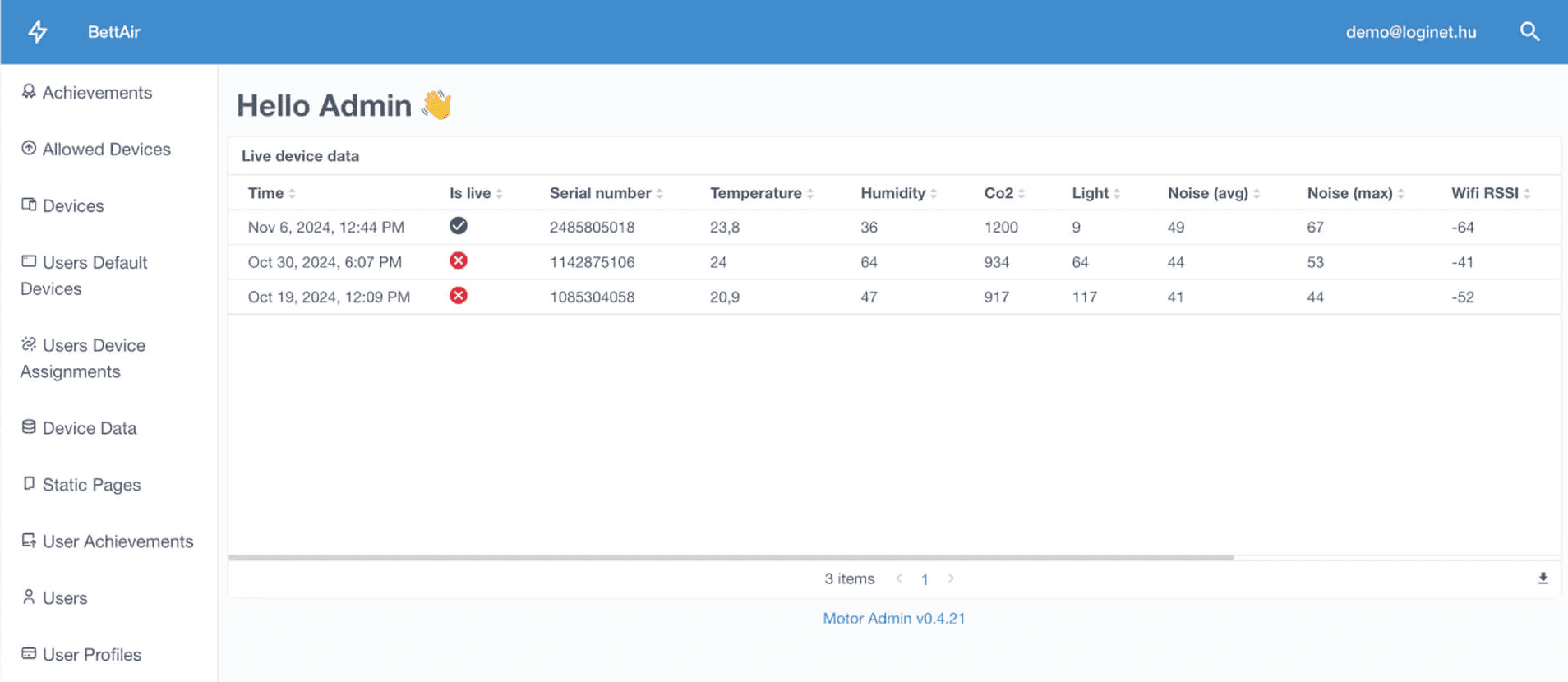
The main page of the created Motor Admin
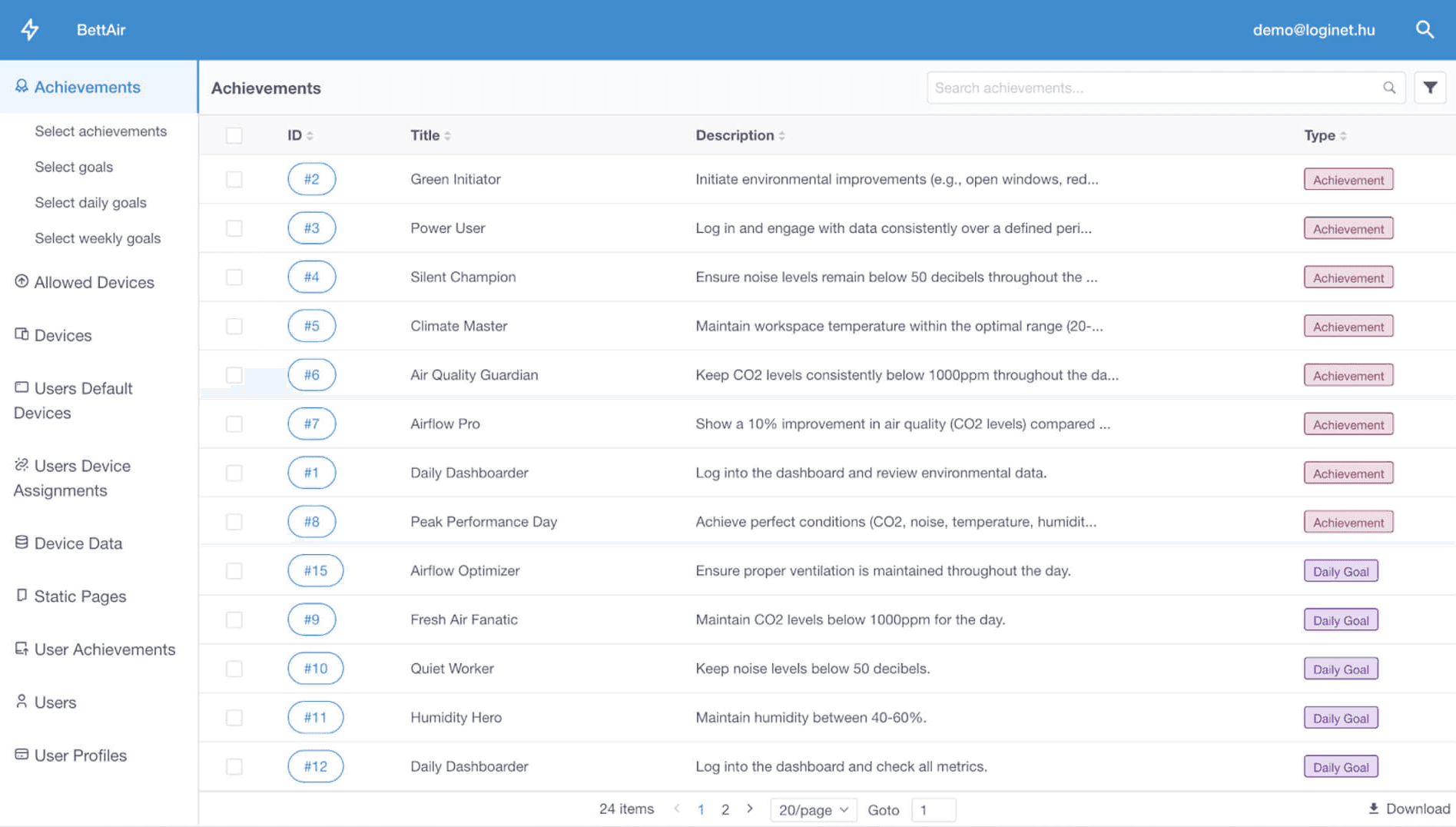
The table of available achievements in Motor Admin
Flutter development for web, tablet, and mobile
A key consideration in developing the client was to make the application available on as many platforms as possible in a cost-effective way. We used the Flutter framework, which has a proven track record on mobile platforms, cost-effective and offers a high user experience with multi-platform support (Android, iOS, web).
The Dart code written in Flutter has been translated to several platforms. The cross-platform translation is generally straightforward within Flutter, but it's important to ensure that all libraries support each target platform. The main challenge lies in adapting to different screen sizes: larger screens allow more information to be displayed, while smaller screens often require multiple views to display the same page. In addition, the size of the web interface can vary, so we have carefully designed transitions to adapt to different screen sizes.
We support three main views:
Mobile: The smallest view, fixed in portrait orientation.
Tablet: A smaller web size that can be in either portrait or landscape orientation.
Web: In some cases, this view includes both of the above (mobile and tablet) as well as solutions tailored for displays larger than tablets. The web interface is primarily used in landscape mode, so this view has been optimised accordingly.
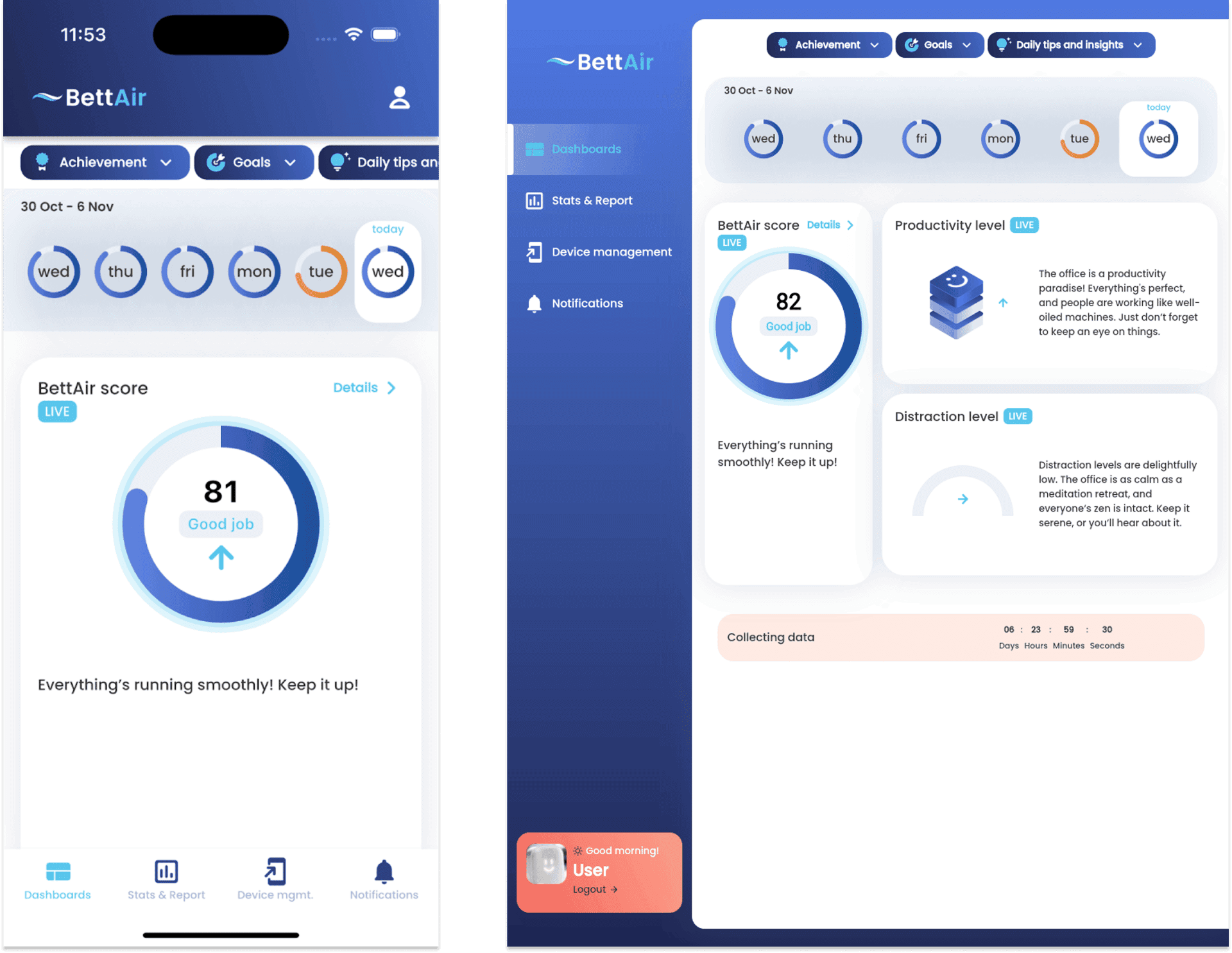
Mobile and tablet view
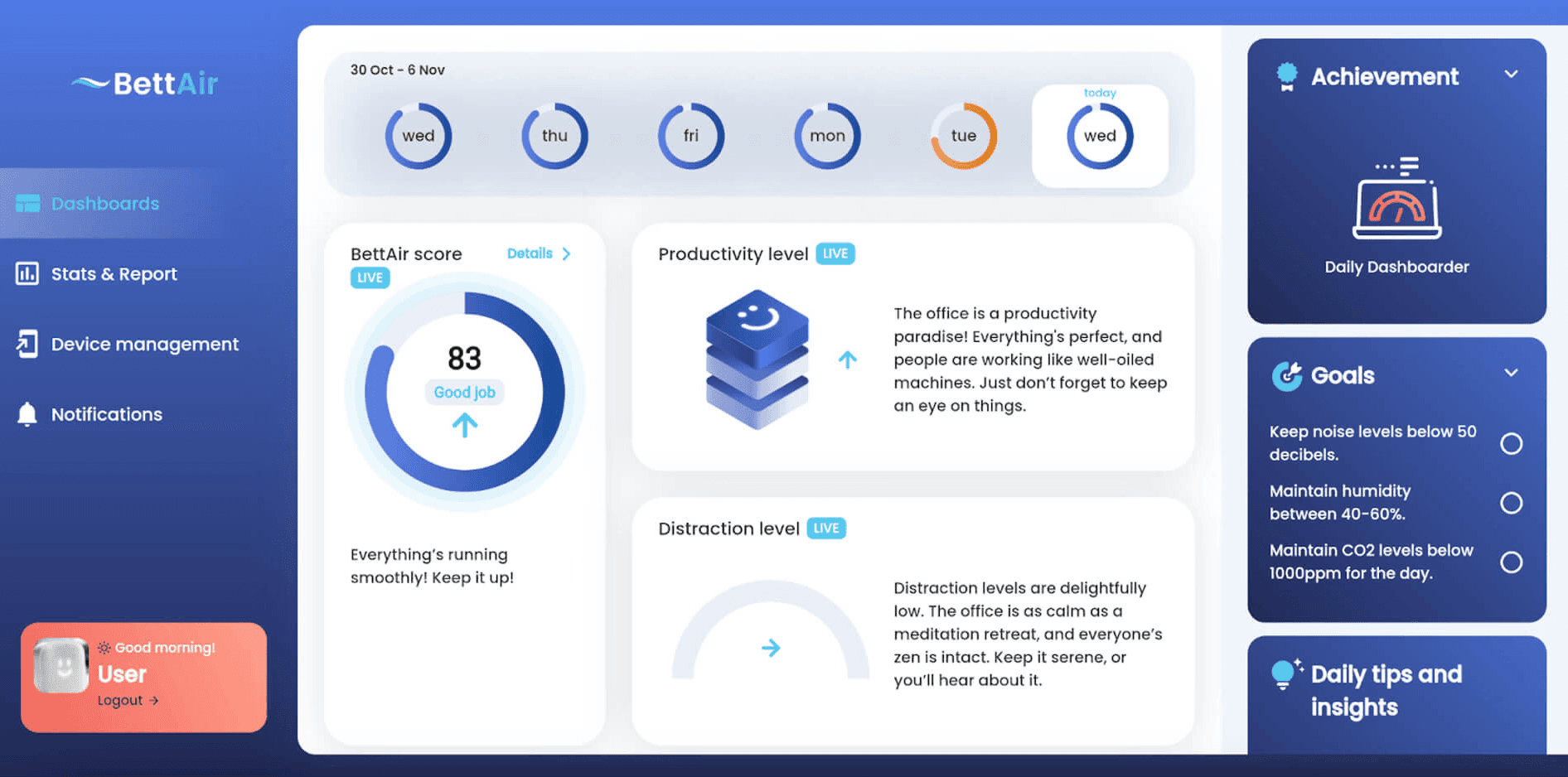
Web view
An additional challenge was that due to the different functionality of web and mobile navigation, additional development work was required to harmonise the two routing solutions. Certain URLs, such as those used when requesting a new password, had to be handled individually to ensure proper support across the different platforms.
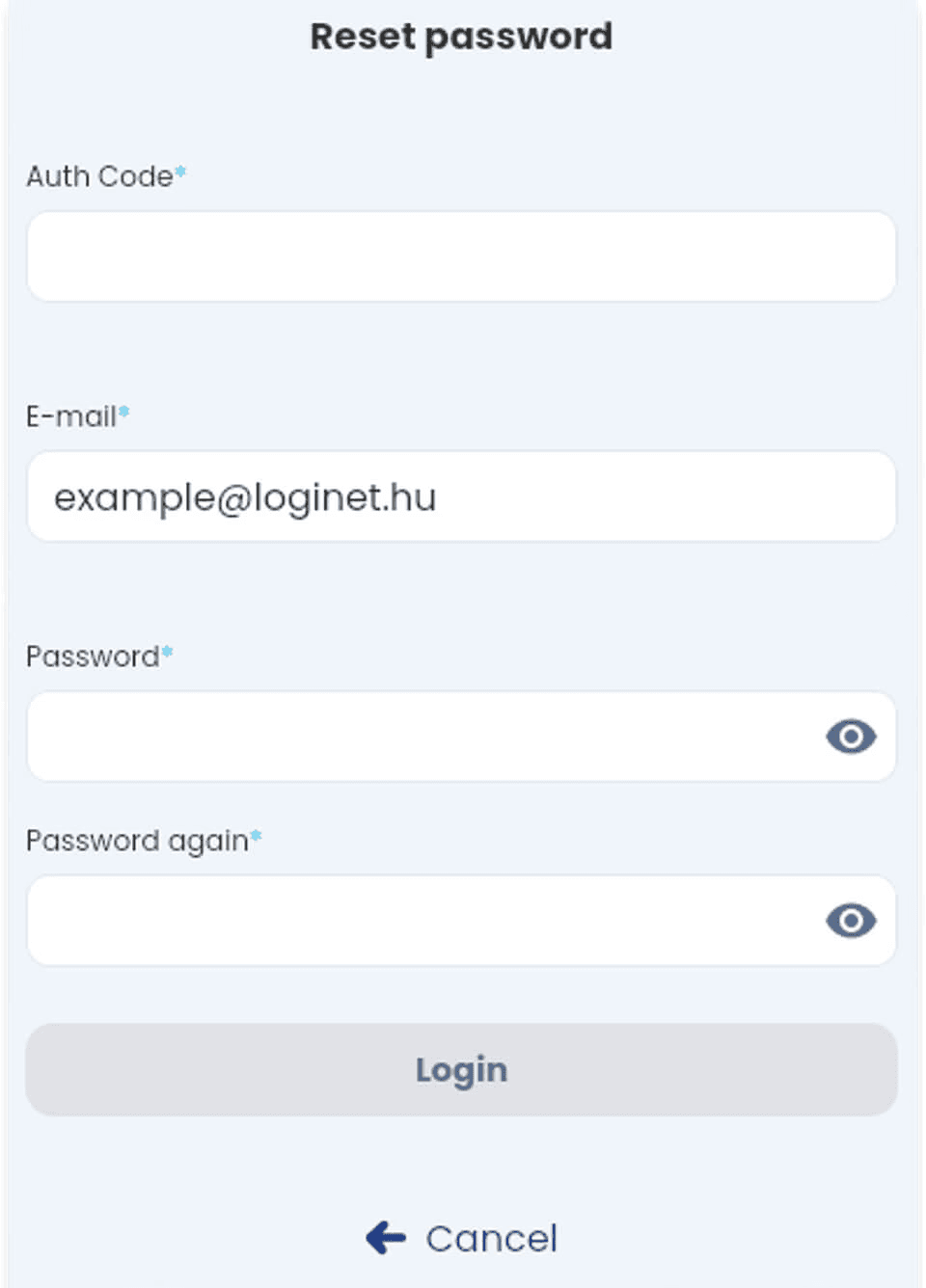
Password reset screen in the app
The password reminder link is sent to users via email:
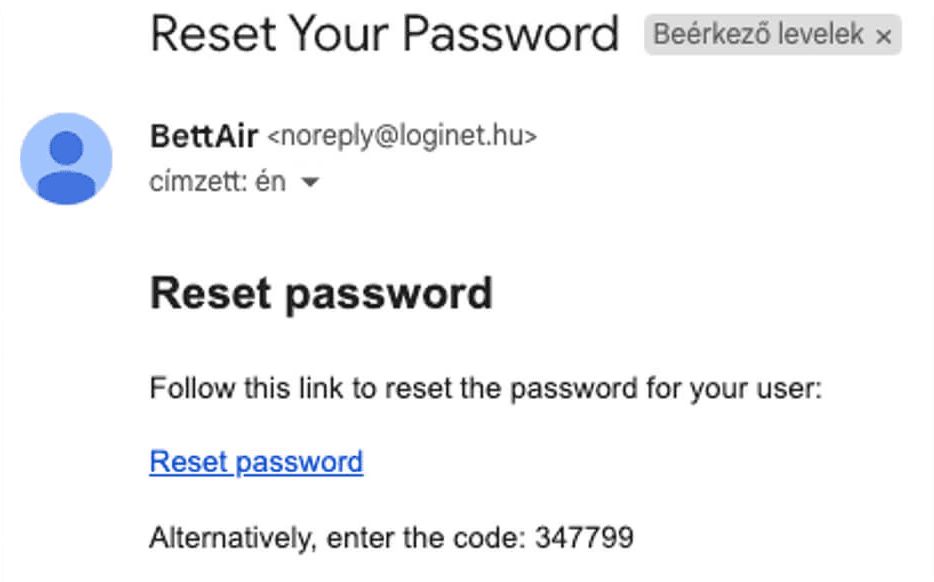
Password recovery email
For the email, we couldn’t determine whether it would be opened on mobile or web, so for mobile, we had to configure the app URL, and for the web, we had to handle the web URL uniquely to open the correct page.
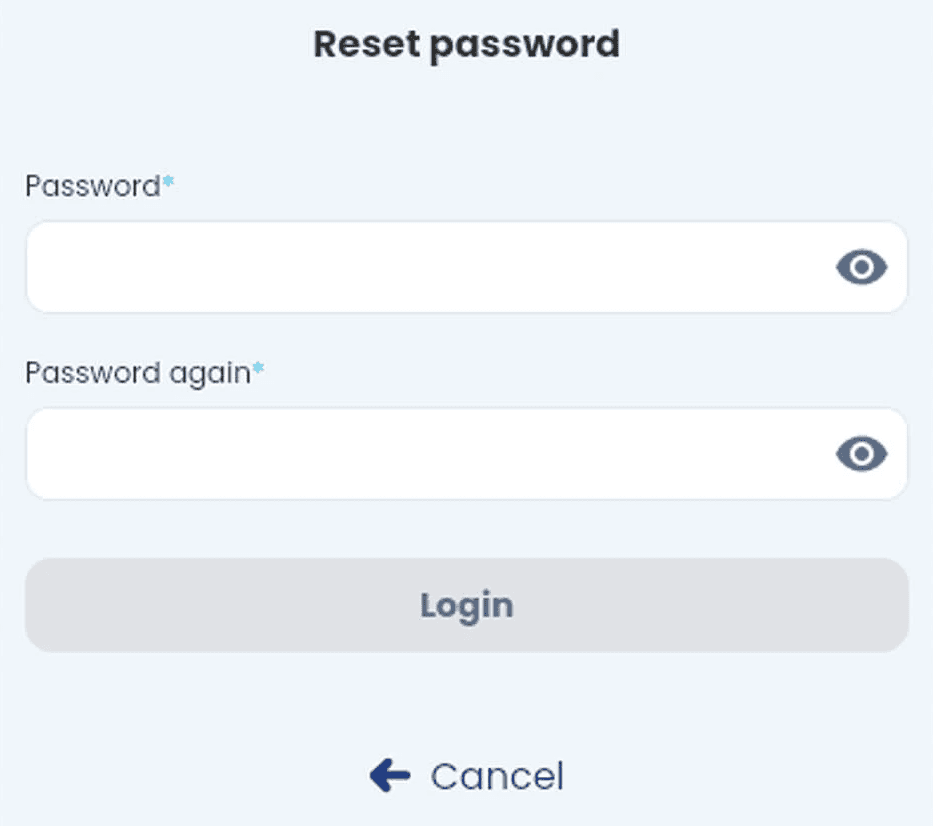
Password recovery screen
Applied solutions, technologies
Mobile: Flutter, Dart, Android Studio
Backend: Supabase, Docker, TimescaleDB
Admin: Motor Admin
Future plans
The customer base of bettair.life is mainly focused on Fortune 500 and Big4 companies, which was confirmed during the Web Summit visit.
After penetrating the office market, the service sector and airlines will be the focus for further expansion of the solution.
The backend is currently optimised for the office environment, but it is planned to serve other sectors in the third quarter of 2025.